Schedule your DeltaTwin® execution
You can schedule a DeltaTwin® execution to run once at a specific date/time or repeatedly with a cron expression.
Types of schedules
- Date : run exactly once at the specified timestamp.
- Cron : recurring schedule (e.g. every day at 12:00, every 30 minutes, etc.).
From the UI
Select the DeltaTwin® component to run
Click Run to open the Run Configuration page
Enable the Schedule toggle (top right of the page)
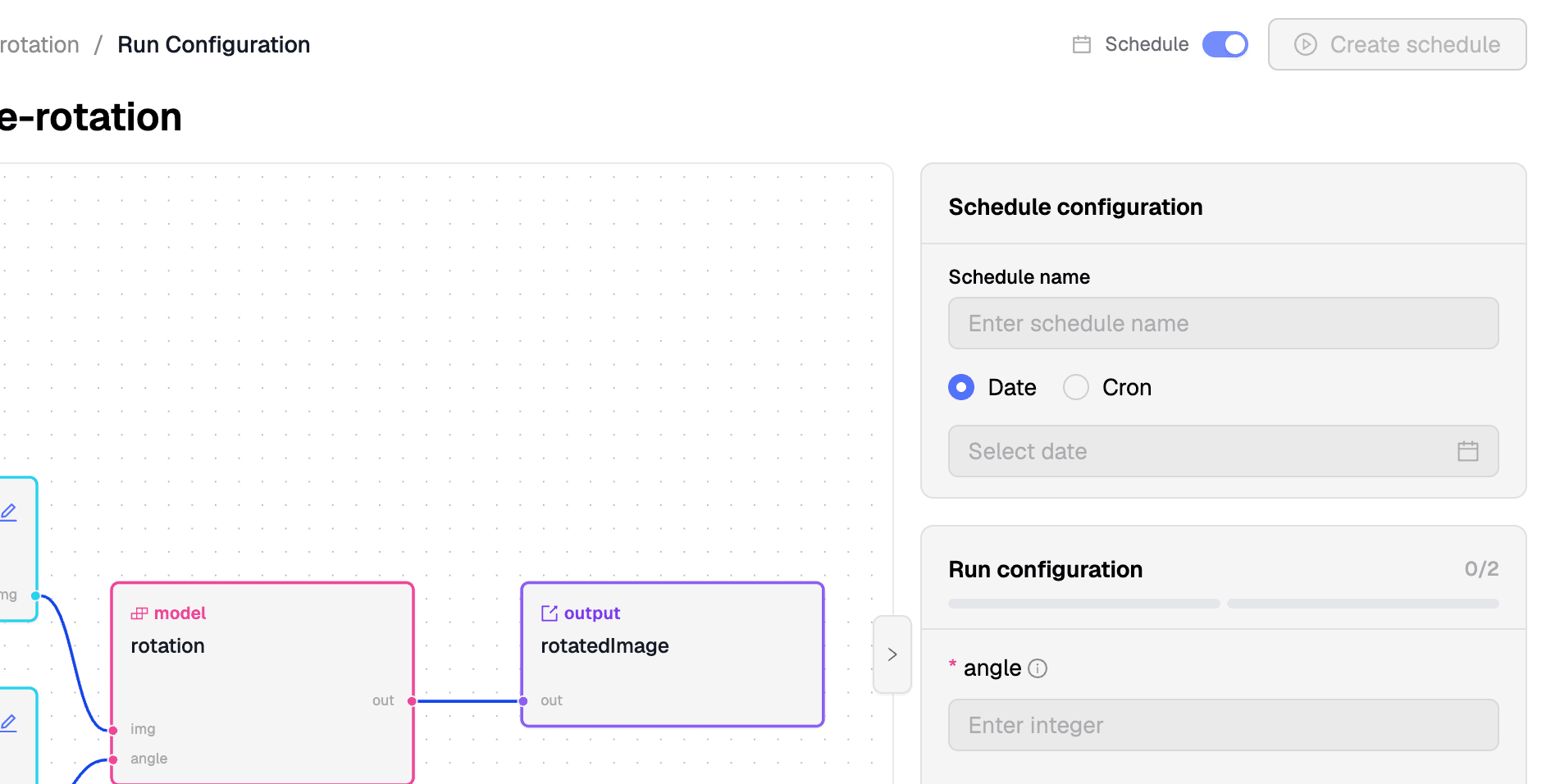
Fill in the schedule settings
A schedule panel appears. Enter a Schedule name, then pick a type:
-
Date (one-shot at a specific date/time) :
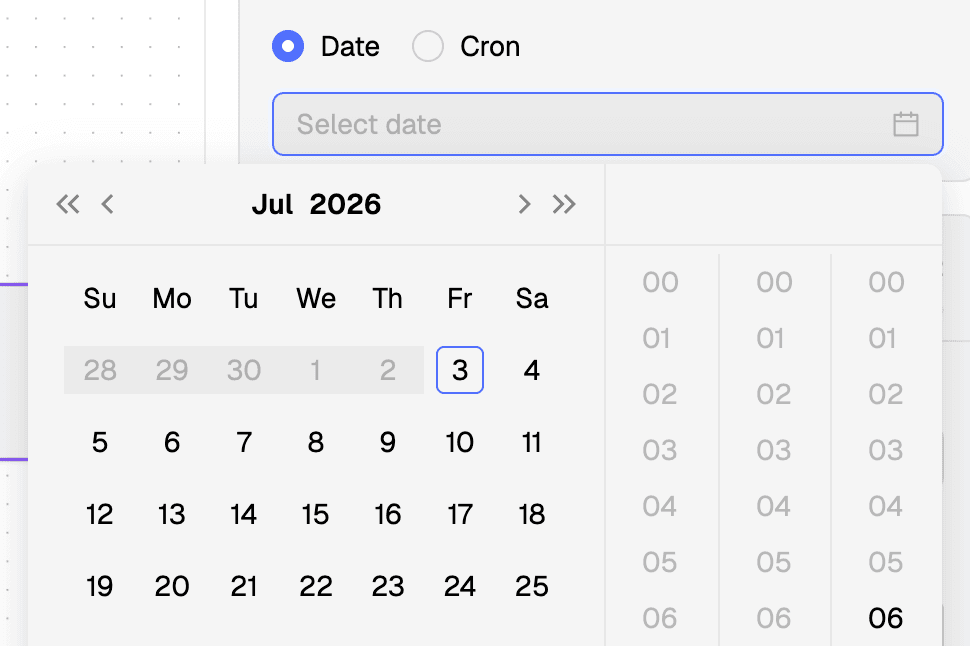
-
Cron (recurring, cron expression) :
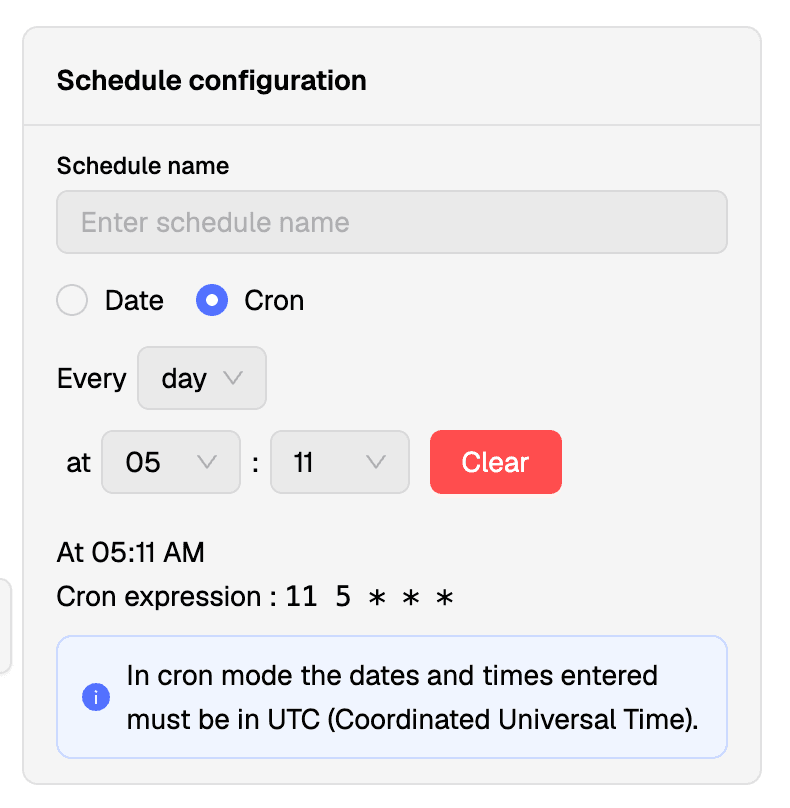
Configure the run inputs
Fill in all required inputs on the workflow, just like a regular run (see Run your DeltaTwin®).
Click Create schedule (top right)
When the Schedule toggle is on, the Start run button becomes Create schedule.
View, pause, resume or delete schedules
In the Scheduled runs panel :
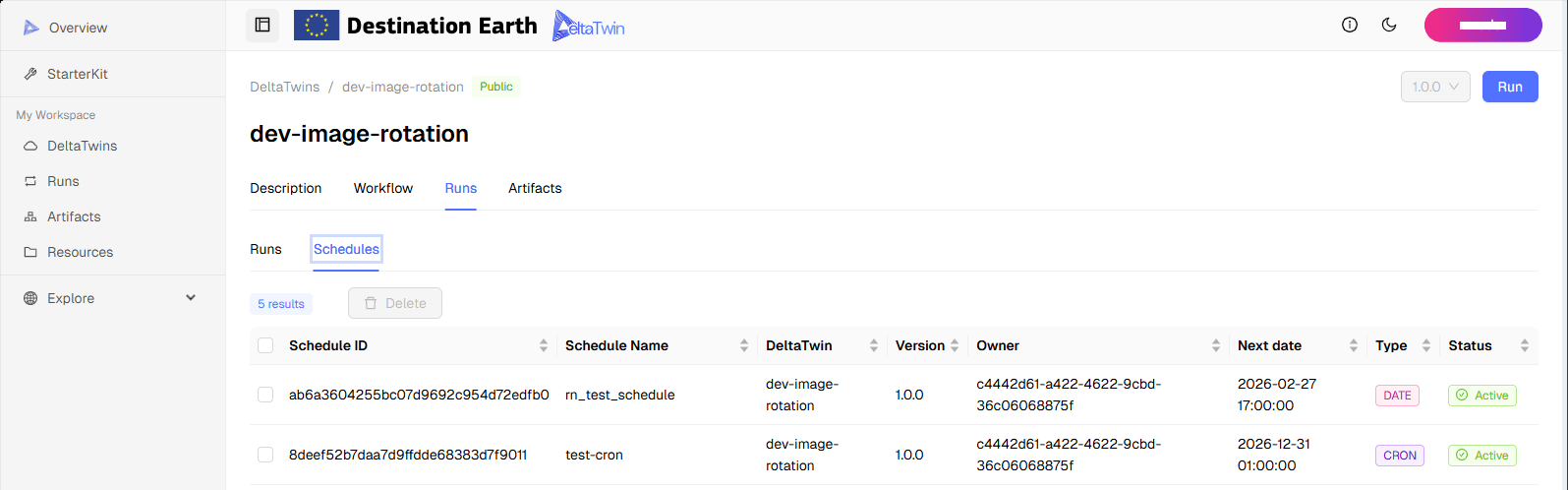
Note
After they execute once, date schedules are automatically removed from the dashboard.
From the CLI
Create a Schedule
In command line, run :
- Date (one‑shot at a specific date/time)
deltatwin schedule add <deltatwin_name> -n <schedule_name> -i <input_file_name> -C date -s "YYYY-MM-DD HH:MM:SS"Example :
deltatwin schedule add image-rotation -n test-cli11 -i Inputs.json -C date -s "2024-12-23 18:45:20"- Cron (recurring, cron expression)
deltatwin schedule add <deltatwin_name> -n <schedule_name> -i <input_file_name> -C cron -s "<cron_expression>"Example (every 30 minutes) :
deltatwin schedule add image-rotation -n test-cli5 -i Inputs.json -C cron -s "0,30 * * * *"Define JSON inputs
For each execution, you need to define inputs in a JSON file.
Example Inputs.json :
{
  "angle": {
    "type": "integer",
    "value": "{% set hier =  now - timedelta(days=1) %} {% set jour = hier.day %} {{jour}}"
  },
  "image": {
    "type": "Data",
    "value": "https://vision.odata.gael.fr/odata/v1/Products(2bd44957-44ef-45e5-af57-db7f35fde289)/AttachedFiles('quick-look.jpg')/$value"
  }
}
In this example, the inputs are:
angle(dynamic Jinja2 expression: yesterday’s day-of-month)image(static data URL)
You can use Jinja2 expressions to dynamically compute values. For instance, yesterday’s day can define a rotation angle (e.g. if today is the 28th, yesterday is the 27th → angle=27).
Available Jinja2 variables / helpers
| name | description |
|---|---|
| now | Current time UTC |
| day | Day of current time UTC |
| year | Year of current time UTC |
| hour | Hour of current time UTC |
| minute | Minute of current time UTC |
| deltatwin_name | Name of DeltaTwin launched |
| deltatwin_version | Version of DeltaTwin launched |
| schedule | Cron expression or ISO date trigger |
| schedule_name | Name of the current schedule |
| owner | Author of the current schedule |
| datetime | datetime.datetime (Python) |
| timedelta | datetime.timedelta (Python) |
List Schedule Details Output
List schedules by running :
deltatwin schedule list| Id | Schedule | Type | Next schedule | DeltaTwin | Owner | Input |
|---|---|---|---|---|---|---|
| my_schedule_Id | 2025-10-25 18:52:00 | date | 2025-10-25 18:52:00+00:00 | deltatwinA:1.0.6 | owner_name | {…} |
Pause / Resume a Schedule
Pause :
deltatwin schedule pause <schedule_id>Sample paused output :
Id:my_schedule_Id
Owner:owner_name
Schedule:2025-10-25 18:52:00
Next schedule:None
Type:date
DeltaTwin:deltatwinA:1.0.6
Inputs:
     Input name | Type | Value/Basename
    ------------+------+----------------
Resume :
deltatwin schedule resume <schedule_id>After resume (different Next schedule field) :
Next schedule:2025-10-25 18:52:00+00:00