Save an artifact
This page will explain how to store an artifact. The service offers you the possibility to store it in private (only visible by you) or public (shared with everyone).
Execute a DeltaTwin
Once it finishes, all the runs of the DeltaTwin are listed in DeltaTwins/<deltaTwin_name>/Runs.
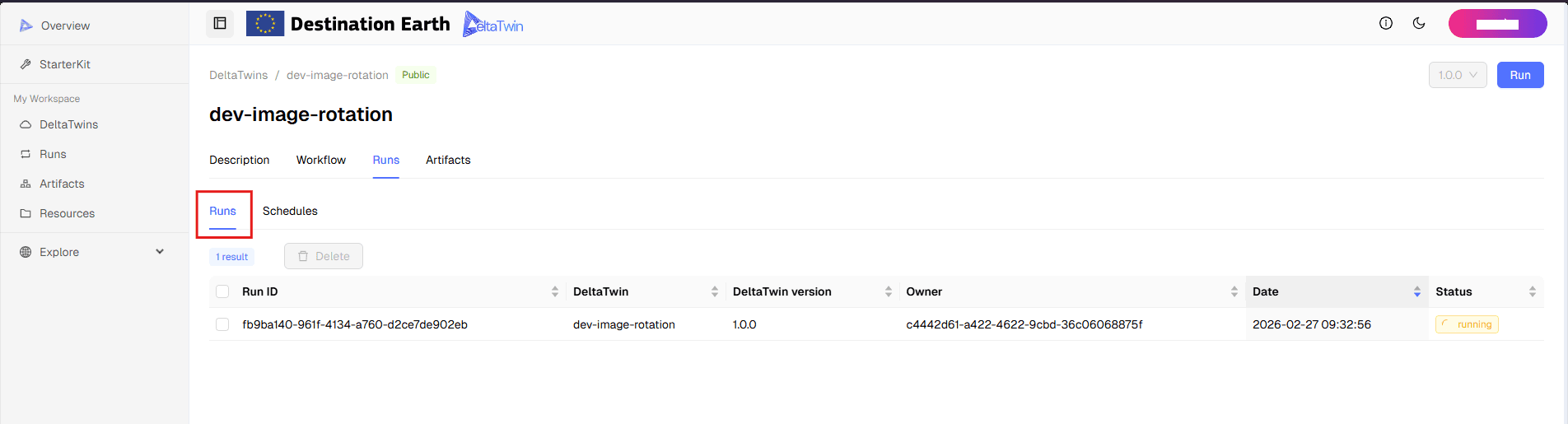
Select your run
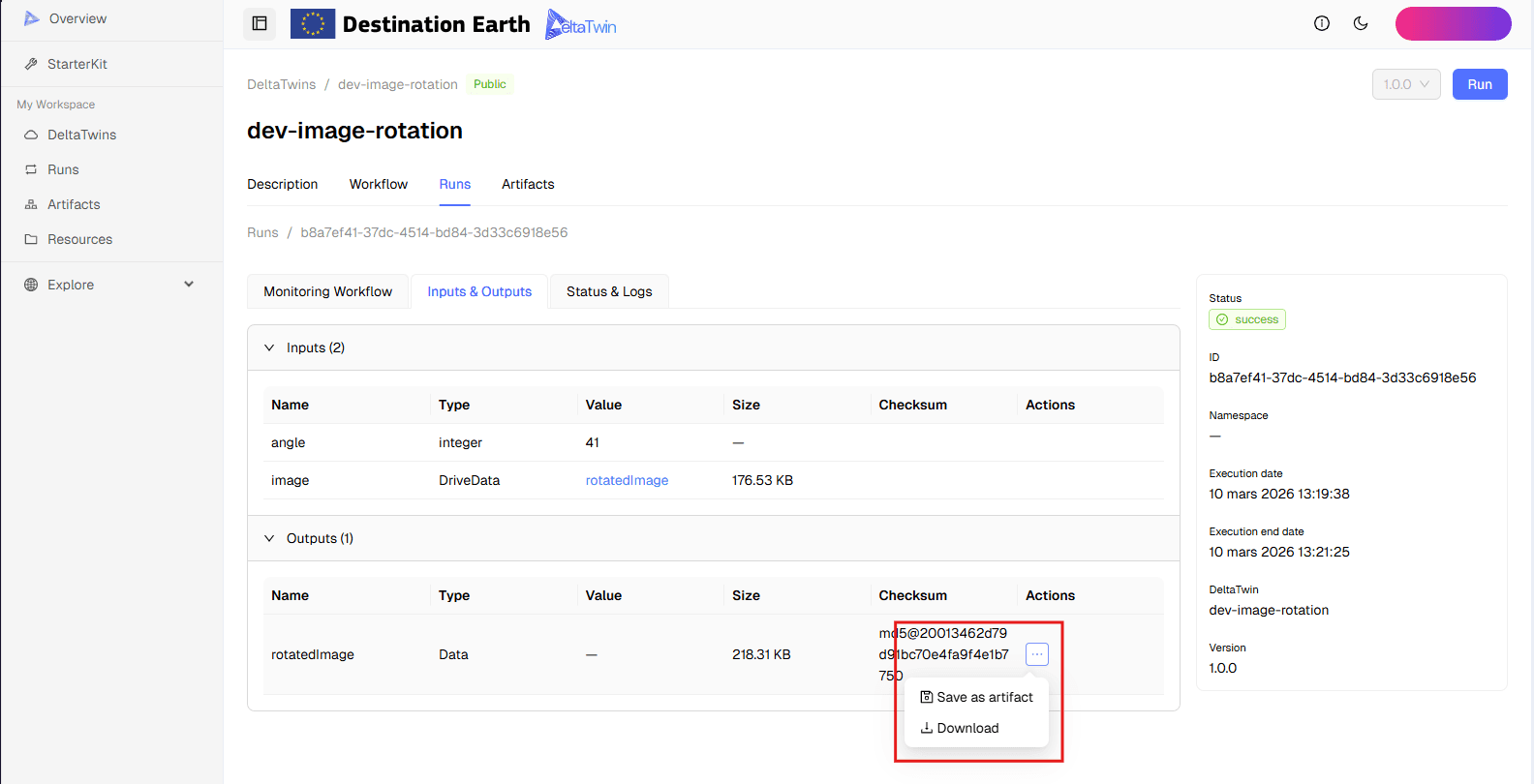
You will have the details of the execution with its inputs and outputs.
Choose an artifact and click Save as artifact
Fill the fields
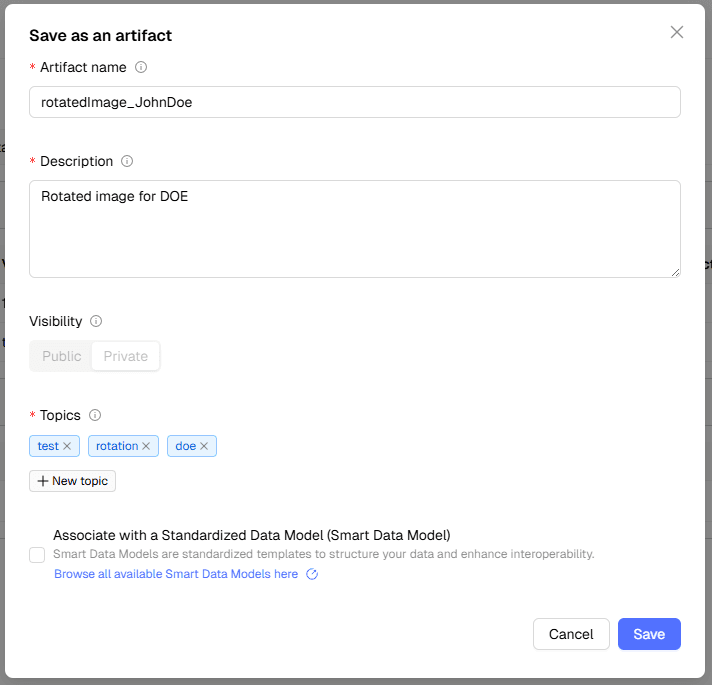
Optional : add a Smart Data Model to your artifact
Smart Data Models are common and compatible data models that aim to facilitate the development of interoperable solutions and to standardize the representation of data across multiple sectors. They are referenced as a mechanism by the Minimal Interoperability Mechanisms . The full list of available Smart Data Models is available here .
The DeltaTwin® service offers the possibility to associate a Smart Data Model with your artifact so that it can be more easily exchanged with third-party software. To do this, check the Minimal Interoperability Mechanisms box and start by entering your search criteria. Then, you can select a model that matches your search criteria, from the Smart Data Model list.
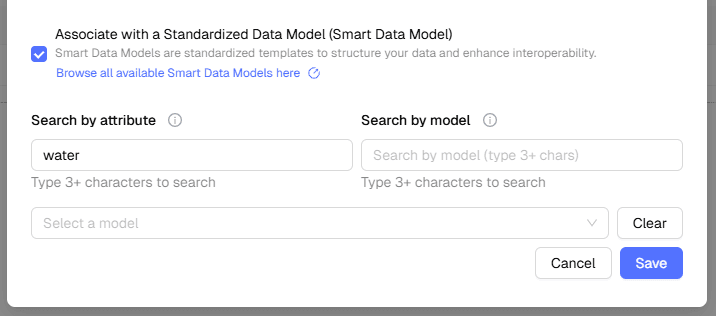
Click “Save”
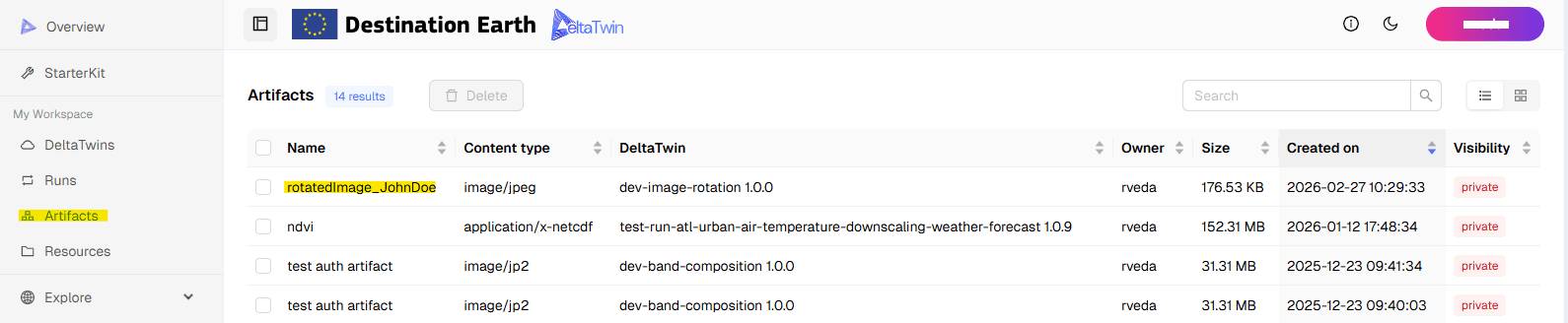
The list of artifacts is visible in DeltaTwin “Artifacts” tab :
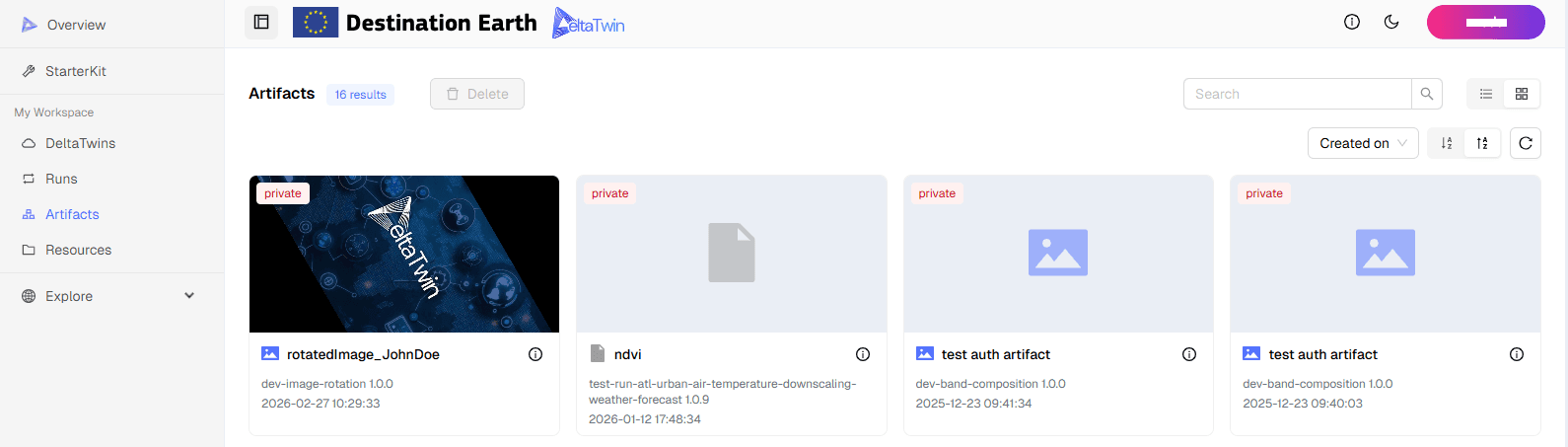
and in your workspace, in “Artifacts” :